




Tivoli Audio Music System Home Gen 2 Wi-Fi/AM/FM/Bluetooth Hi-Fi System
We are an authorized Tivoli dealer!
Email Your Question
Pairs well with
Free Shipping
We only ship within Canada. Items purchased online qualify for free shipping!
30 Day Returns
All products are eligible for returns within 30 days. All original packaging is required.
Installation & Calibration
Ask about our installation services on home theatre & stereo equipment along with automation.
Tivoli Audio Music System Home Gen 2 Wi-Fi/AM/FM/Bluetooth Hi-Fi System
Overview
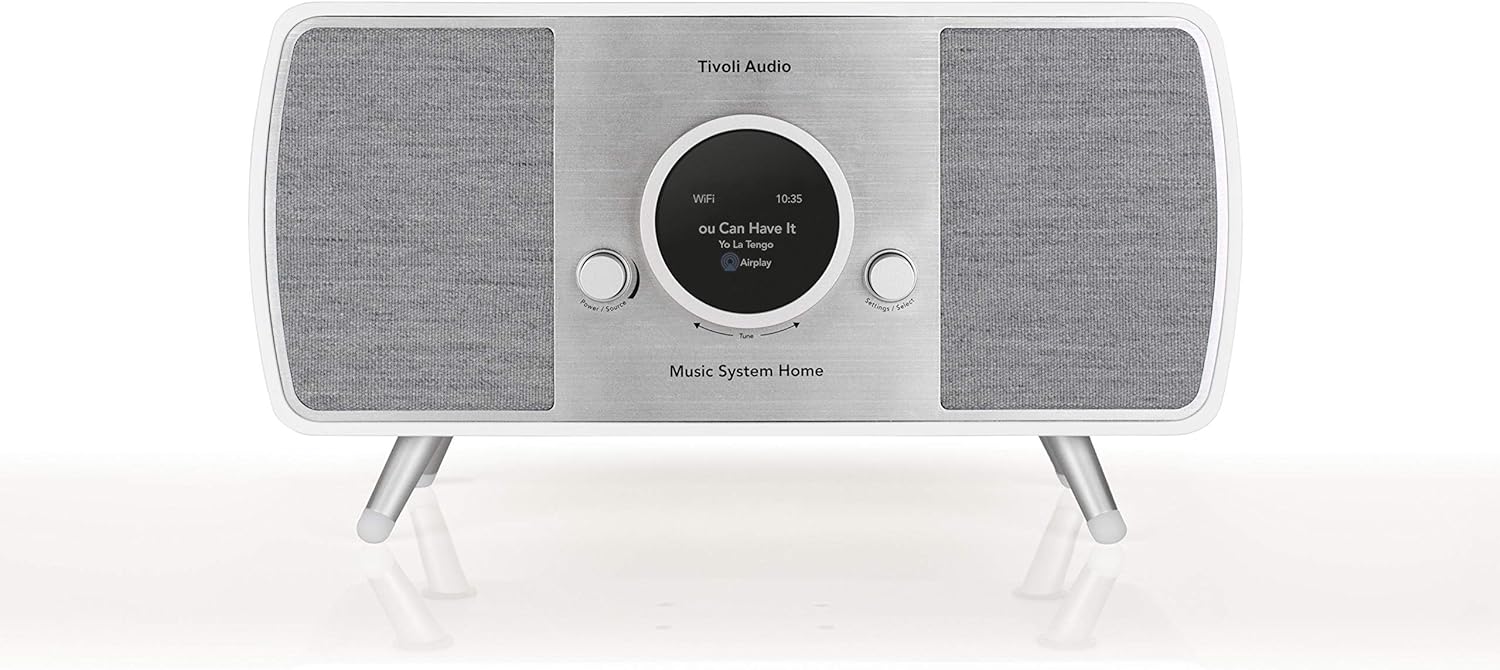
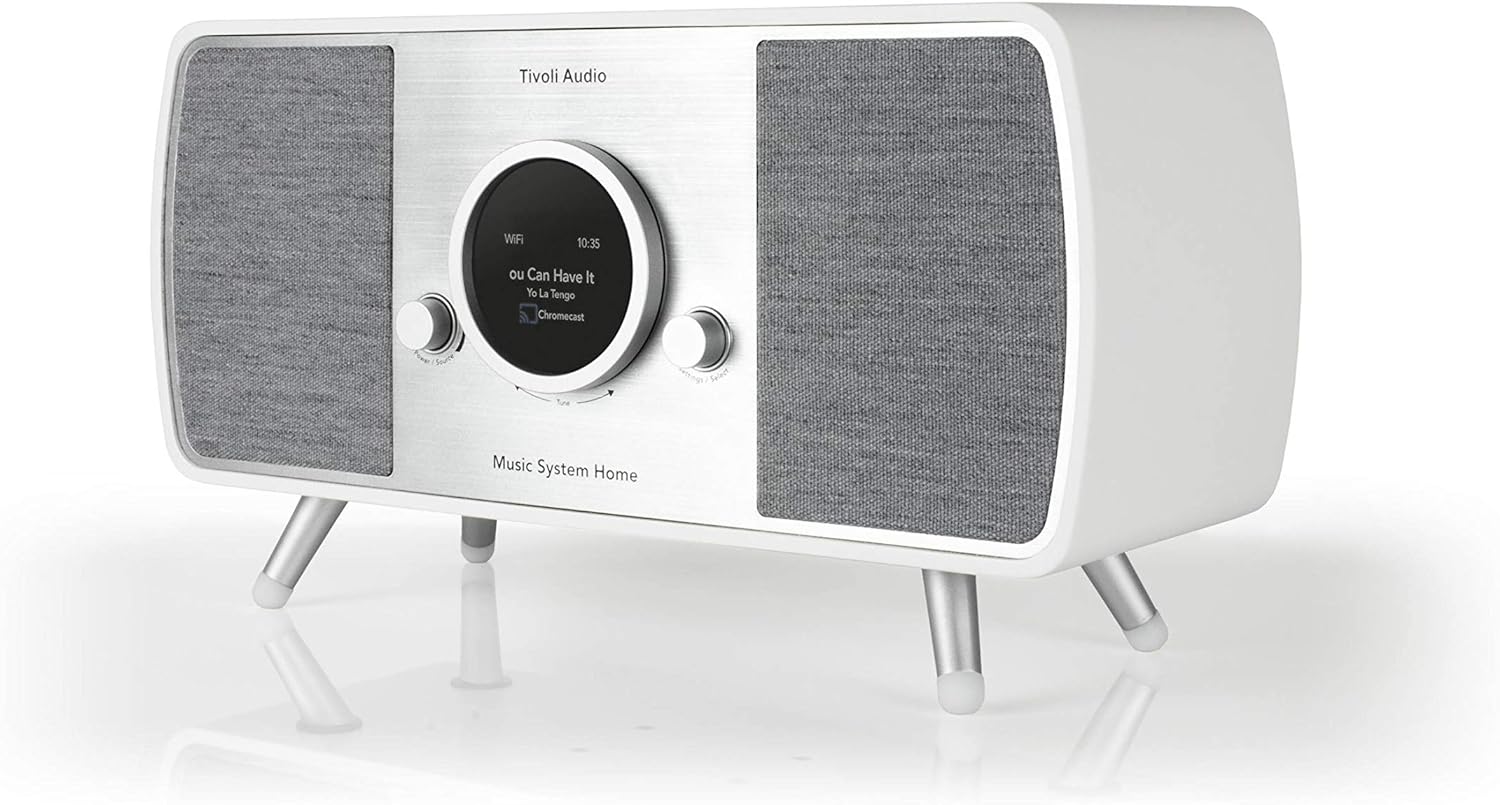
The Tivoli Audio Music System Home Gen 2 is a Wi-Fi hi-fi system built around AirPlay 2 and Google Cast, so you can stream from Spotify, Apple Music, and most other services directly over your home network, with Bluetooth on hand for anything without Wi-Fi. A DAB+/FM/AM tuner and a four-driver stereo speaker configuration round it out as a genuine all-in-one system rather than just a smart speaker.
The real wood cabinet and fabric speaker grille give it a mid-century look that sits comfortably on a shelf or credenza, and every function is reachable from the included full-function remote or the unit's own Power/Source knob — no app is required just to change sources or adjust volume.
An optical input and Ethernet port make it easy to use as a television audio upgrade, and a Bluetooth pairing button on the back lets you add the Tivoli Model SUB for deeper bass without running any extra cables.
Simcoe Audio Video Insight
We recommend the Music System Home Gen 2 for anyone who wants one unit to cover Wi-Fi multi-room streaming, radio, Bluetooth, and TV audio without stacking separate boxes — the optical and Ethernet inputs in particular make it an easy TV soundbar alternative in a kitchen, bedroom, or den.
More Info
Why the Music System Home Gen 2 Stands Out
AirPlay 2 Built-In and Works with Google Cast
Stream directly from Spotify, Apple Music, Tidal, Deezer, TuneIn, and other AirPlay 2 or Google Cast-enabled apps over your home Wi-Fi.
Four-Driver Stereo Sound
Two 3.5-inch 20W woofers and two 0.75-inch 8W tweeters, driven by a four-channel amplifier, fill a room with balanced, full-range audio.
DAB+/FM/AM Radio
A built-in tuner covers FM and AM everywhere, with DAB+ reception in markets where it's available.
Bluetooth Streaming Without Wi-Fi
Pair a phone or tablet directly over Bluetooth when you don't want to connect to your home network.
Expandable with the Tivoli Model SUB
A dedicated Bluetooth pairing button on the back connects the optional Tivoli Model SUB for deeper bass.
TV and Component Connectivity
An optical input, 3.5mm auxiliary input, and Ethernet port make it easy to connect a television, turntable, or other wired source.
Real Wood Cabinet with Fabric Grille
A furniture-grade wood cabinet and fabric speaker grille are built to blend into your home's decor rather than look like electronics.
Buyer's Guide
Who It's For
- Multi-room streamers who want AirPlay 2 or Google Cast in another room without adding a separate smart speaker.
- TV audio upgraders who want a single system that also handles radio, Bluetooth, and everyday music.
- Kitchen, bedroom, or den listeners who want simple, hands-on controls alongside app-based streaming.
How It Compares
The Music System Home Gen 2 trades the Music System BT's built-in CD player and alarm clock for Wi-Fi streaming with AirPlay 2 and Google Cast, DAB+/FM/AM radio, and an optical TV input — making it the better fit for whole-home multi-room casting rather than a bedside all-in-one.
Tivoli Audio Music System Home Gen 2 Wi-Fi/AM/FM/Bluetooth Hi-Fi System Specifications
| General Information | |
|---|---|
| Model Name | Tivoli Audio Music System Home Gen 2 |
| Product Type | Wi-Fi/AM/FM/Bluetooth Hi-Fi System |
| Sold As | Individual Unit |
| Connectivity | |
| Wi-Fi | Yes, with AirPlay 2 Built-In and Works with Google Cast |
| Streaming Services | Spotify Connect and other AirPlay 2/Google Cast-enabled apps |
| Bluetooth | Yes |
| Ethernet Port | Yes |
| Optical Input | Yes |
| Auxiliary Input | 3.5mm |
| Audio Output | 3.5mm |
| Subwoofer Pairing | Bluetooth pairing for optional Tivoli Model SUB |
| Audio | |
| Radio Tuner | DAB+/FM/AM (DAB+ available in supported markets) |
| Speaker Configuration | 2 x 3.5" 20W Woofers, 2 x 0.75" 8W Tweeters |
| Amplifier | Four-Channel |
| Controls | |
| Remote Control | Full-Function Remote Included |
| On-Unit Controls | Power/Source Knob with Hands-On Navigation |
| Physical & Design | |
| Cabinet Material | Real Wood, Available in Three Cabinet Finishes |
| Speaker Grille | Fabric |
| Dimensions | 16" x 6.5" x 8.75" (7" without legs) |
| Weight | 10.8 lb |
| Package & Accessories | |
| In the Box | Music System Home Gen 2, Power Supply, Quick Start Guide, Remote Control (Battery Included), FM Antenna, AM Antenna, 4 Feet |
Simcoe Audio Video Installation
Our professional team of designers and installers provide custom design solutions and installation for existing homes and new builds. We work with home owners, home builders and designers to create scalable solutions tailored to you.
Home Theatre & Media Rooms | Home Audio Solutions | AV Automation