


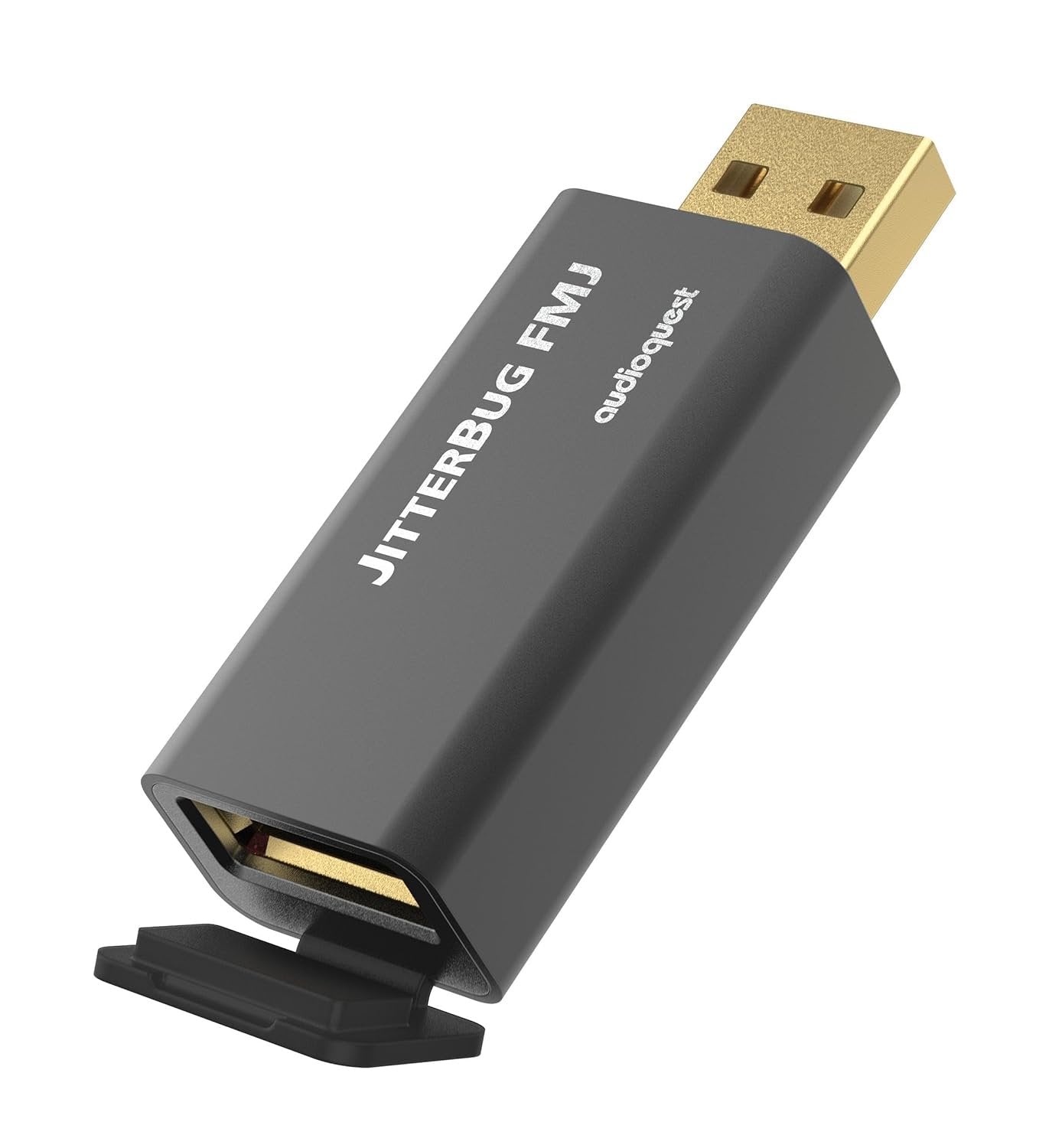
AudioQuest - Jitterbug FMJ USB Data & Power Noise Filter
We are an authorized Audioquest dealer!
Email Your Question
Pairs well with
Free Shipping
We only ship within Canada. Items purchased online qualify for free shipping!
30 Day Returns
All products are eligible for returns within 30 days. All original packaging is required.
Installation & Calibration
Ask about our installation services on home theatre & stereo equipment along with automation.
AudioQuest - Jitterbug FMJ USB Data & Power Noise Filter
Overview
The USB port on a computer, phone, car, or streamer carries RF noise along with your music, and that noise can mask detail before the signal ever reaches your DAC. The AudioQuest JitterBug FMJ is a USB 2.0 data and power noise filter that plugs in line with a USB connection to reduce that contamination.
Dual discrete Noise-Dissipation circuits minimize internal noise in both the sending and receiving electronics, and help reduce jitter and packet errors. Its Full Metal Jacket case and hinged, carbon-loaded output cover also guard against environmental RF noise, and it fully complies with USB 2.0 specifications.
Use one JitterBug in series between a computer, smartphone, NAS, streamer, or car audio system and a USB input. AudioQuest also recommends a second JitterBug in an unused USB port, in parallel, with its front door closed, to pull more RF noise off the USB power bus.
Simcoe Audio Video Insight
Start with the JitterBug in series between your source and USB DAC. If you have a spare USB port on the same device, AudioQuest suggests adding a second JitterBug there in parallel. With a DragonFly Cobalt, which already uses some of JitterBug's filtering, AudioQuest recommends experimenting with the in-series position.
More Info
Why the AudioQuest JitterBug FMJ Stands Out
Dual Noise-Dissipation Circuits
Minimize internal noise in both sending and receiving electronics.
Data and Power Filtering
Reduces RF noise on the USB data and power lines, along with jitter and packet errors.
Full Metal Jacket
A metal case plus a hinged, carbon-loaded Noise-Dissipation output cover shields against external interference.
Series or Parallel Use
Works in line with a USB DAC, or in an unused USB port, including service-only or update-only ports.
USB 2.0 Compliant
Fully complies with USB 2.0 specifications for wide compatibility.
Buyer's Guide
Who It's For
- The Computer Audio Listener: Plays music from a laptop or desktop into a USB DAC.
- The DragonFly Owner: Uses a DragonFly Black or Red and wants a cleaner USB connection.
- The Streamer Owner: Has a streamer or NAS with spare or service-only USB ports.
How It Compares
The JitterBug FMJ 2 Pack includes two filters for AudioQuest's recommended series-plus-parallel setup. A single JitterBug FMJ is the place to start if you only have one USB connection to treat.
AudioQuest - Jitterbug FMJ USB Data & Power Noise Filter Specifications
| General Information | |
|---|---|
| Model | AudioQuest JitterBug FMJ |
| Brand | AudioQuest |
| Product Type | USB 2.0 Data and Power Noise Filter |
| Quantity | 1 filter |
| SKU | JITTERBUGFMJ |
| UPC | 092592016125 |
| Design | |
| Noise Filtering | Dual discrete Noise-Dissipation circuits |
| Case | Full Metal Jacket with hinged, carbon-loaded output cover |
| Compliance | USB 2.0 |
| Use | In series with a USB input, or in parallel in an unused USB port |
Simcoe Audio Video Installation
Our professional team of designers and installers provide custom design solutions and installation for existing homes and new builds. We work with home owners, home builders and designers to create scalable solutions tailored to you.
Home Theatre & Media Rooms | Home Audio Solutions | AV Automation