


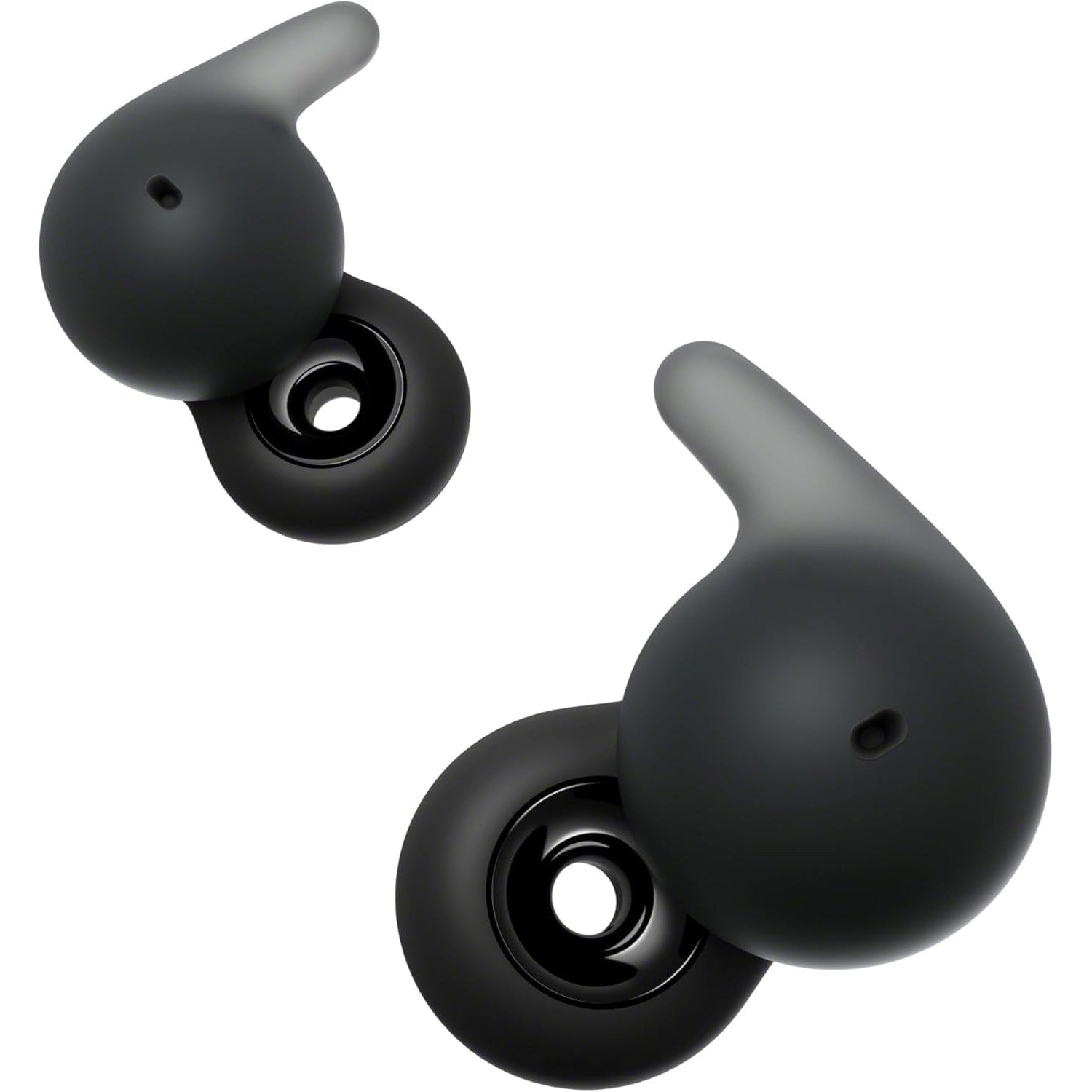


Sony LinkBuds Open - Truly Wireless Earbuds with Open Ring Design
We are an authorized Sony dealer!
Email Your Question
Pairs well with
Free Shipping
We only ship within Canada. Items purchased online qualify for free shipping!
30 Day Returns
All products are eligible for returns within 30 days. All original packaging is required.
Installation & Calibration
Ask about our installation services on home theatre & stereo equipment along with automation.
Sony LinkBuds Open - Truly Wireless Earbuds with Open Ring Design
Overview
The Sony LinkBuds Open are truly wireless earbuds built around a simple idea: staying aware of the world around you without giving up sound quality. An 11mm open-ring driver lets ambient sound pass through naturally, so there's no seal in your ear canal and no "plugged-ear" pressure, even after hours of wear.
The Integrated Processor V2 and DSEE processing keep audio clear and consistent, while Adaptive Volume Control automatically adjusts your music as background noise changes around you, so you're not constantly reaching for the volume.
At approximately 5.1 grams per earbud, they're built for all-day comfort, backed by up to 22 hours of total battery life with the charging case and an IPX4 rating for sweat and splash resistance.
Simcoe Audio Video Insight
The open-ring design is a real solution for anyone who finds standard silicone ear tips uncomfortable or isolating. Because there's no seal, there's no pressure buildup, which makes these a good fit for a full workday or a long run where you still need to hear traffic or conversations around you. If you already own or are considering a Sony LinkBuds Speaker, the Auto Switch feature is a genuinely useful extra, handing audio back and forth automatically as you come and go.
More Info
Why the Sony LinkBuds Open Stand Out
Open-Ring Driver Design
An 11mm ring-shaped driver with a high-power neodymium magnet lets ambient sound through naturally, so you stay aware of your surroundings without a dedicated transparency mode.
Adaptive Volume Control
These earbuds automatically adjust playback volume as the noise around you changes, so your music stays audible without you reaching for the controls.
Wide Area Tap & Speak-to-Chat
Tap the area of your face near your ear to control playback even while moving, and let Speak-to-Chat automatically pause your music the moment you start talking to someone.
Multipoint Connection
Stay connected to two devices at once, like a laptop for calls and a phone for music, and switch between them without re-pairing.
Up to 22 Hours of Battery Life
Get up to 8 hours of continuous playback per charge, with the compact charging case extending total battery life to up to 22 hours.
IPX4 Water Resistance
Sweat and splash resistance make these a practical choice for workouts and daily wear in changing weather.
Auto Switch with Sony LinkBuds Speaker
Pair with a Sony LinkBuds Speaker and audio automatically hands off between the speaker and your earbuds as you come and go, no manual switching required.
Buyer's Guide
Who It's For
- The Situational Athlete: runners and cyclists who need to stay aware of traffic and surroundings for safety.
- The Office Multitasker: anyone who wants music or podcasts on while staying approachable to colleagues.
- The Comfort-First Listener: anyone who has struggled with the fit of traditional in-ear silicone tips.
How It Compares
The LinkBuds Open trade sealed bass and noise cancelling for full environmental awareness, so if you want deep bass and ANC for travel or the gym, the Sony LinkBuds Fit or Sony WF-1000XM5 are better fits. If you want a more traditional compact shape with a strong transparency mode instead of a fully open design, the Sony LinkBuds S is worth a look.
Sony LinkBuds Open - Truly Wireless Earbuds with Open Ring Design Specifications
| General Information | |
|---|---|
| Model | Sony LinkBuds Open (WF-L910) |
| Type | Open-Ear, True Wireless |
| Color | Black, White |
| Noise Cancellation | No (Open Ring Design) |
| Audio | |
| Headphone Type | Open Air, Ring-Shaped Driver |
| Driver Size | 11mm |
| Magnet | High-Power Neodymium |
| Frequency Response | 20 Hz – 20,000 Hz (44.1 kHz sampling) |
| Supported Codecs | SBC, AAC, LC3 |
| Processor | Integrated Processor V2 |
| Connectivity | |
| Bluetooth Version | 5.3 |
| Bluetooth Profiles | A2DP, AVRCP, HFP, HSP, TMAP, CSIP, MCP, VCP, CCP |
| Wireless Range | Up to 10 meters (33 feet) |
| Multipoint Connection | Yes |
| Battery & Charging | |
| Battery Type | Rechargeable Lithium-ion |
| Continuous Playback (Earbuds) | Max. 8 hours |
| Total Battery Life (with Case) | Up to 22 hours |
| Earbud Charging Time | Approx. 1.5 hours |
| Charging Case Charge Time | Approx. 2.5 hours |
| Charging Method | USB (via charging case) |
| Features | |
| Open Ring Design | Yes (hear ambient sound naturally) |
| Water Resistance | IPX4 equivalent |
| Touch Controls | Yes (including Wide Area Tap) |
| Adaptive Volume Control | Yes |
| Speak-to-Chat | Yes |
| Auto Switch | Yes (with compatible Sony LinkBuds Speaker) |
| Quick Access | Yes (Amazon Music, Endel, and other supported apps) |
| Physical Specifications | |
| Earbud Weight | Approx. 5.1g each (including fitting supporters) |
| Charging Case Weight | Approx. 30.6g |
| Charging Case Dimensions | Approx. 46.0 x 46.0 x 29.4 mm |
| In the Box | |
| Included Accessories | Charging Case, USB Cable, Warranty Card, Reference Guide |
Simcoe Audio Video Installation
Our professional team of designers and installers provide custom design solutions and installation for existing homes and new builds. We work with home owners, home builders and designers to create scalable solutions tailored to you.
Home Theatre & Media Rooms | Home Audio Solutions | AV Automation