


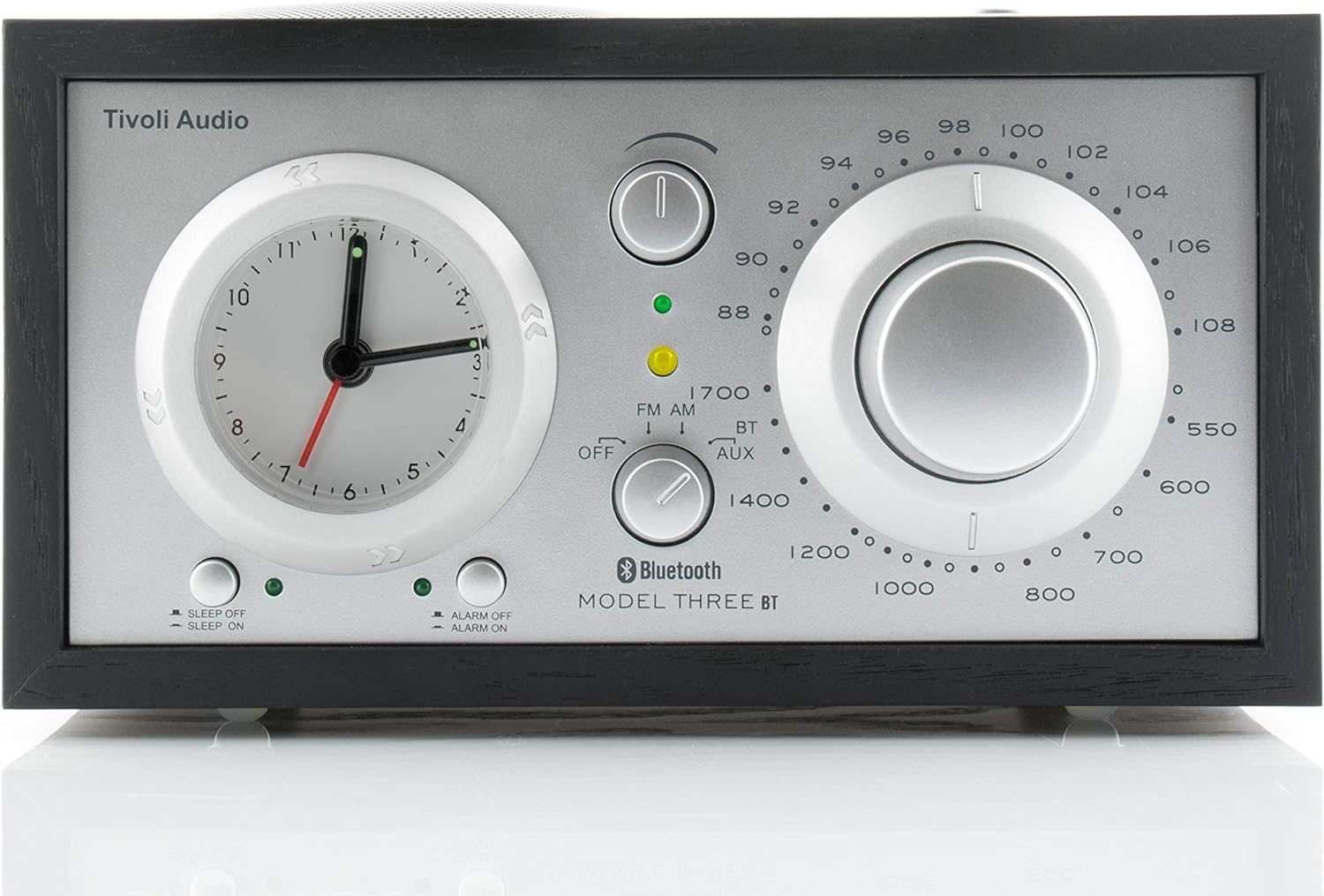
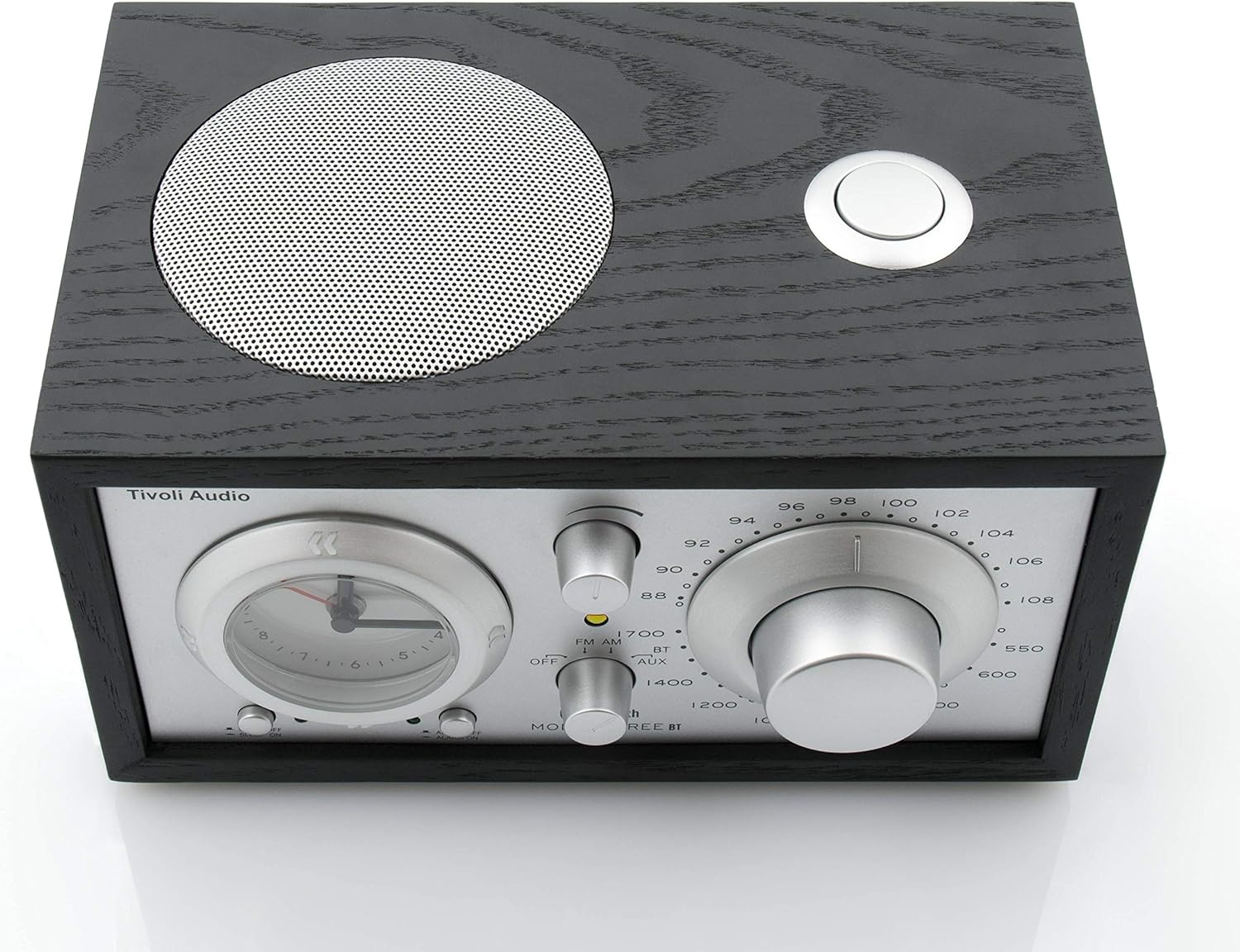


Tivoli Audio Model Three Bluetooth Clock Radio with USB
We are an authorized Tivoli dealer!
Email Your Question
Pairs well with
Free Shipping
We only ship within Canada. Items purchased online qualify for free shipping!
30 Day Returns
All products are eligible for returns within 30 days. All original packaging is required.
Installation & Calibration
Ask about our installation services on home theatre & stereo equipment along with automation.
Tivoli Audio Model Three Bluetooth Clock Radio with USB
Overview
The Tivoli Audio Model Three BT pairs a real wood cabinet with the alarm clock radio you actually want beside your bed: reliable AM/FM reception, Bluetooth 5.0 streaming for your phone or tablet, and a USB port to keep that device charged overnight.
Setting the time and alarm uses the same analog controls Tivoli has relied on for decades — a rear Time Set button and a front alarm thumbwheel — so there's no menu to dig through in the dark. A built-in AA battery keeps the clock and alarm running through a power outage.
Round out the connections with a 3.5mm auxiliary input, headphone output, and REC OUT/MIX IN jacks, and the Model Three BT works equally well as a bedside radio, a compact desk speaker, or a line-level source feeding a larger system.
Simcoe Audio Video Insight
We like the Model Three BT for anyone who wants a genuine wake-up radio rather than a smart speaker with an alarm bolted on — the physical thumbwheel and Time Set button are quick to use without a phone in hand, and the Bluetooth and USB charging cover modern day-to-day habits without adding complexity.
More Info
Why the Model Three BT Stands Out
Bluetooth 5.0 Wireless Streaming
Stream music, podcasts, or audiobooks from your phone or tablet directly to the Model Three BT's full-range driver.
Built-In USB Charging Port
A rear USB port charges a compatible phone or tablet overnight without an extra charging brick on your nightstand.
Analog Alarm Clock with Thumbwheel Set
Set your wake-up time with the classic aluminum alarm thumbwheel, plus a 20-minute sleep timer and snooze button on top of the cabinet.
AM/FM Tuner with External Antenna Input
Pulls in local AM and FM stations, with a switch to use the included telescoping antenna or connect an external one for better reception.
Real Wood Veneer Cabinet
Finished in genuine wood veneer for the understated, furniture-grade look Tivoli radios are known for.
Multiple Audio Connections
3.5mm auxiliary input, headphone output, REC OUT for recording or feeding a preamp, and MIX IN for a second source, plus a SUB OUT for an optional Tivoli subwoofer.
Battery-Backed Clock
A single AA battery keeps the clock and alarm running through a power outage, so you won't wake up to a blinking display.
Buyer's Guide
Who It's For
- Bedside listeners who want a dependable alarm clock radio with Bluetooth and USB charging built in.
- AM/FM loyalists who want strong tuner performance in a compact, good-looking cabinet.
- Anyone upgrading a nightstand radio who wants real wood styling instead of a plastic smart speaker.
How It Compares
The Model Three BT shares its Bluetooth streaming and wood cabinet with the Model One BT, but adds an alarm clock, USB charging port, and Sleep/Snooze functions the Model One BT doesn't have — trading the Model One BT's tuning dial simplicity for automated wake-up features geared toward bedside use.
Tivoli Audio Model Three Bluetooth Clock Radio with USB Specifications
| General Information | |
|---|---|
| Model Name | Tivoli Audio Model Three BT |
| Product Type | Bluetooth AM/FM Alarm Clock Radio |
| Sold As | Individual Unit |
| Audio | |
| Speaker | 1 x 3" (76.2mm) Full-Range Driver, Video Shielded |
| Radio Tuner | AM/FM |
| Bluetooth | Yes (5.0) |
| Connectivity & Controls | |
| USB Port | 1 x USB (Charging Only) |
| Auxiliary Input | 3.5mm Stereo (disabled while a Bluetooth device is connected) |
| Headphone Output | 3.5mm Stereo, Variable |
| Line Output (REC OUT) | 3.5mm Stereo, Fixed Level |
| MIX IN | 3.5mm Stereo (secondary input in Auxiliary mode) |
| Subwoofer Output | 3.5mm Stereo (for optional Tivoli Model Subwoofer) |
| Antenna | Telescoping FM Antenna (included) with Internal/External Switch |
| Alarm & Clock | |
| Clock Type | Analog Quartz with Illuminated Face |
| Alarm Set | Analog Alarm Thumbwheel |
| Snooze | Approx. 5 Minutes (Fixed) |
| Sleep Timer | Approx. 20 Minutes (Fixed) |
| Clock Battery Backup | 1 x AA (1.5V Alkaline) |
| Physical & Design | |
| Cabinet Material | Real Wood Veneer |
| Finish Options | Black/Silver, Walnut |
| Dimensions | 8.375" W x 4.5" H x 5.25" D (21.3 x 11.4 x 13.3 cm) |
| Weight | 3.75 lb (1.70 kg) |
| Package & Accessories | |
| In the Box | Model Three BT, Telescoping FM Antenna, External Power Supply, 1 x AA Battery, Owner's Manual |