



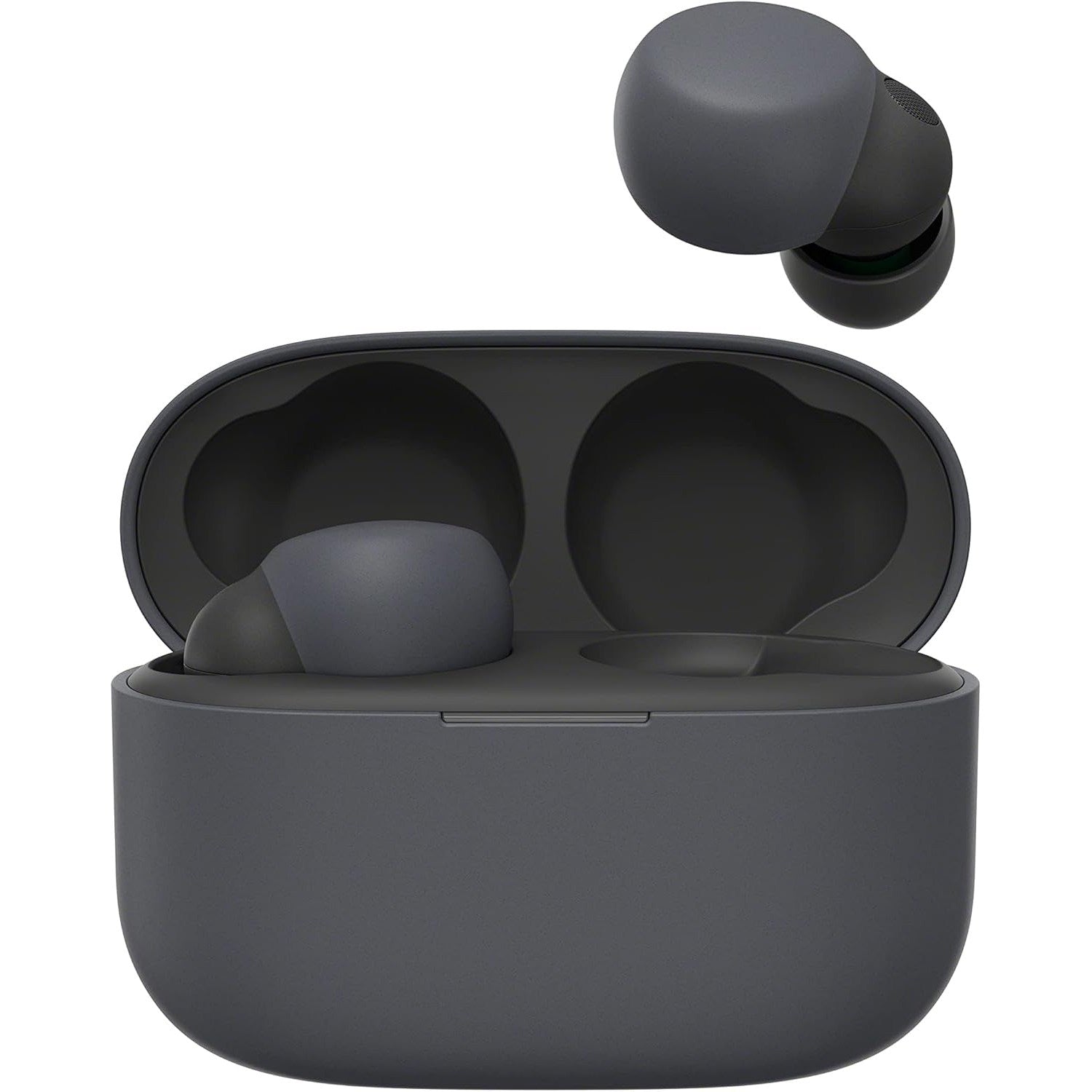


Sony LinkBuds S - Truly Wireless Noise-Canceling Earbuds
We are an authorized Sony dealer!
Email Your Question
Pairs well with
Free Shipping
We only ship within Canada. Items purchased online qualify for free shipping!
30 Day Returns
All products are eligible for returns within 30 days. All original packaging is required.
Installation & Calibration
Ask about our installation services on home theatre & stereo equipment along with automation.
Sony LinkBuds S - Truly Wireless Noise-Canceling Earbuds
Overview
The Sony LinkBuds S are truly wireless earbuds built for people who want premium sound and active noise cancelling in one of the smallest, lightest packages Sony makes. At approximately 4.8 grams per earbud, they sit comfortably for hours without the fatigue that comes with bulkier earbuds.
A 5mm dynamic driver with a high-power neodymium magnet, paired with DSEE Extreme upscaling and LDAC support, delivers detailed sound, while Adaptive Sound Control automatically balances noise cancelling and ambient sound as your environment changes throughout the day.
Speak-to-Chat pauses your music the moment you start talking, and Quick Attention mode lets you lower the volume and hear your surroundings with a simple touch, so switching between focused listening and real-world awareness never breaks your stride.
Simcoe Audio Video Insight
The LinkBuds S is a great fit for anyone who wants Sony's noise cancelling technology without a bulky earbud housing. The combination of light weight, genuine ANC, and compatibility with 360 Reality Audio makes it a strong all-rounder for commuting, working from home, or everyday listening.
More Info
Why the Sony LinkBuds S Stands Out
Active Noise Cancelling with Adaptive Sound Control
ANC automatically adjusts to your surroundings, and Ambient Sound mode lets outside sound back in whenever you need it.
Ultra-Lightweight, All-Day Comfort
At approximately 4.8 grams per earbud, the LinkBuds S is one of Sony's smallest and lightest noise cancelling earbuds.
Hi-Res Audio with LDAC
A 5mm driver, DSEE Extreme upscaling, and LDAC codec support work together for detailed, high-resolution sound over Bluetooth, with compatibility for 360 Reality Audio content.
Speak-to-Chat & Quick Attention Mode
Speak-to-Chat automatically pauses your music when you start talking, and Quick Attention mode lets you lower the volume with a touch to catch what's happening around you.
Multipoint Connection
Stay connected to two devices at once, such as a laptop for calls and a phone for music, and switch between them without re-pairing.
Voice Assistant Support
Built-in support for Google Assistant and Amazon Alexa lets you check notifications, control playback, and more, hands-free.
IPX4 Water Resistance
Sweat and splash resistance make these a practical choice for workouts and daily use in changing weather.
Buyer's Guide
Who It's For
- Comfort-focused listeners: anyone who wants noise cancelling without the weight or bulk of larger earbuds.
- Commuters and hybrid workers: Speak-to-Chat and Quick Attention mode make it easy to step in and out of conversations.
- Multi-device users: multipoint pairing keeps you moving between a laptop and phone without re-pairing.
How It Compares
If you want Sony's top-tier ANC performance and don't mind a slightly larger earbud, the Sony WF-1000XM5 offers stronger noise cancelling and a longer feature set. If you'd rather stay fully aware of your surroundings with an open-ear design, the Sony LinkBuds Open skips the seal entirely.
Sony LinkBuds S - Truly Wireless Noise-Canceling Earbuds Specifications
| General Information | |
|---|---|
| Model | Sony LinkBuds S (WF-LS900N) |
| Type | In-ear, True Wireless |
| Color Options | Black, White, Beige, Earth Blue |
| Noise Cancellation | Yes (Active Noise Cancellation with Adaptive Sound Control) |
| Audio | |
| Headphone Type | Closed, Dynamic |
| Driver Size | 5mm |
| Magnet | High-Power Neodymium |
| Frequency Response | 20 Hz – 20,000 Hz (44.1 kHz sampling); 20 Hz – 40,000 Hz (LDAC 96 kHz sampling, 990kbps) |
| Supported Codecs | SBC, AAC, LDAC, LC3 |
| DSEE Extreme | Yes |
| 360 Reality Audio | Yes (compatible) |
| Connectivity | |
| Bluetooth Version | 5.2 |
| Bluetooth Profiles | A2DP, AVRCP, HFP, HSP, TMAP, CSIP, MCP, VCP, CCP |
| Wireless Range | Up to 10 meters (33 feet) |
| Multipoint Connection | Yes |
| Battery & Charging | |
| Battery Type | Built-in Lithium-ion |
| Continuous Playback (Earbuds) | Max. 6 hours (NC on), Max. 9 hours (NC off) |
| Earbud Charging Time | Approx. 2 hours |
| Charging Case Charge Time | Approx. 3 hours |
| Charging Port | USB Type-C |
| Features | |
| Active Noise Cancellation | Yes |
| Ambient Sound Mode | Yes |
| Adaptive Sound Control | Yes |
| Quick Attention Mode | Yes |
| Speak-to-Chat | Yes |
| Voice Assistant Integration | Yes (Google Assistant, Amazon Alexa) |
| Touch Controls | Yes |
| Water Resistance | IPX4 (earbuds only) |
| Physical Specifications | |
| Earbud Weight | Approx. 4.8g each |
| Charging Case Weight | Approx. 35g |
| Charging Case Dimensions | Approx. 42.8 x 60 x 27.6 mm |
| In the Box | |
| Included Accessories | Charging Case, USB Type-C Cable |
Simcoe Audio Video Installation
Our professional team of designers and installers provide custom design solutions and installation for existing homes and new builds. We work with home owners, home builders and designers to create scalable solutions tailored to you.
Home Theatre & Media Rooms | Home Audio Solutions | AV Automation